Making an AI-generated database editable from the first step
Ninox is a low-code platform for small and mid-sized businesses, and it becomes powerful once a database schema exists. Defining that schema is steep for anyone without deep database knowledge. As a freelancer in the summer of 2025, I designed the onboarding for prompt-to-database: you describe the application you want, and the AI generates a working schema into the same editor you keep using.
The AI builds the database. The editor makes it yours.
- The setting
- Ninox, a low-code platform small and mid-sized businesses use to build ERP-style business apps. Once a schema exists, Ninox generates the interfaces. Defining the schema is the steep part.
- My part
- Freelance, summer 2025, in a founder-led stealth phase before the initiative went to the product team. I ran the design end to end: the prompt-to-database flow and the split-screen editor beside the chat.
- What changed
- Split-screen direct manipulation, editor and chat side by side, became the primary onboarding pattern and the basis for Ninox's public AI beta in 2026.
- Three takeaways
- Generate into the surface the user will edit. Treat the first wrong answer as the normal case. Keep chat, never as the only path.
One sentence in, a database out
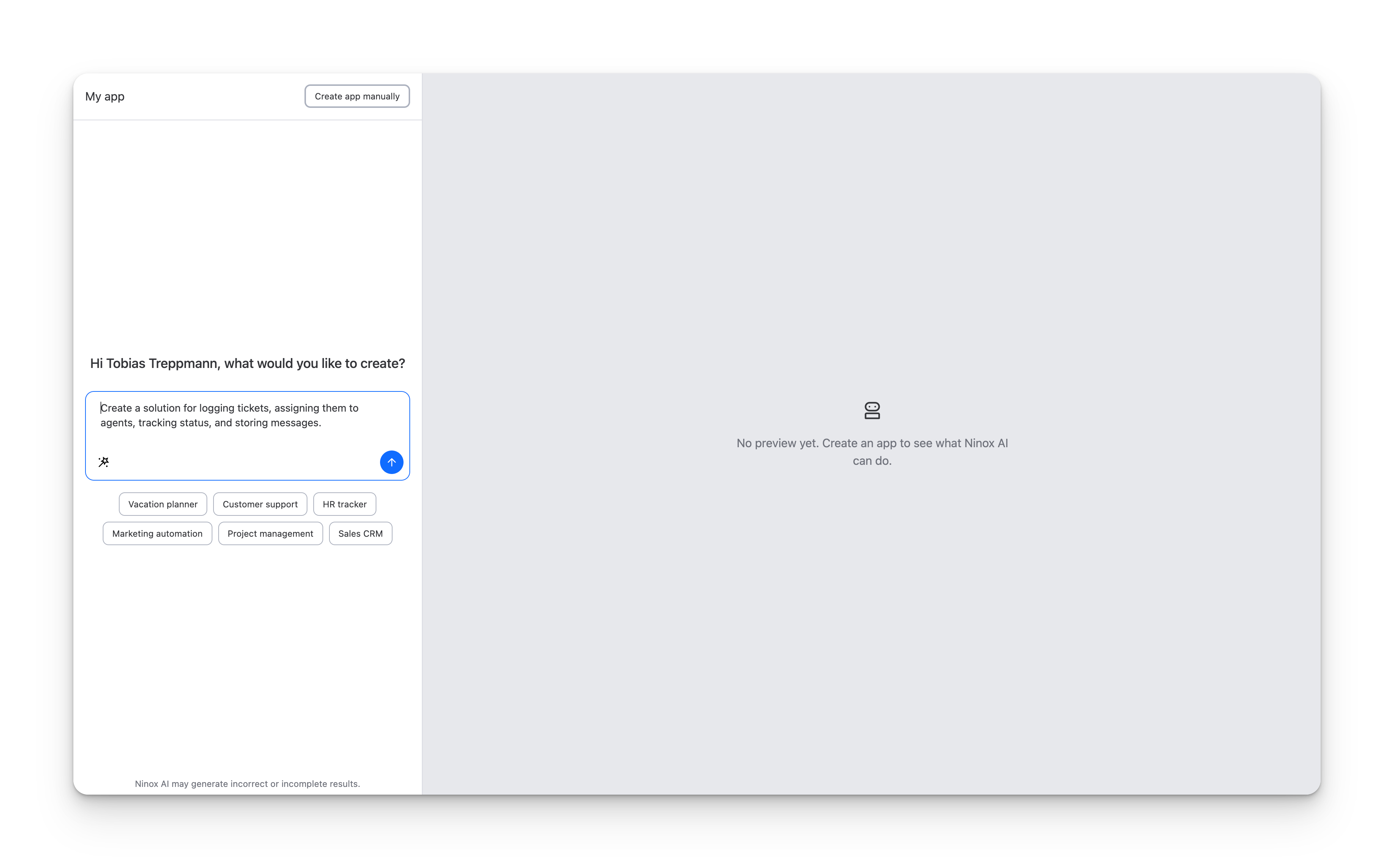
The onboarding starts with a prompt box: what would you like to create? Beside it, the panel reads “No preview yet. Create an app to see what Ninox AI can do.” You describe the application you want in plain language, and the AI generates a working database schema.
 View full size ↗
 The entry point: describe what you want to build.
For Ninox, the schema is everything. The platform's strength is record-based workflows: an offer, a case or a construction project moving through stages and people. Once the schema exists, Ninox generates the interfaces. Historically, its most successful customers either knew databases already or brought in a consultant to set the schema up.
Prompt-to-database was meant to get everyone else past that step. The design problem started where the generation stops. The AI shows you what it built. Now what?
Generating the schema only moves the problem
A generated schema helps only if the user can change it: edit it, add or remove fields, even whole tables. Otherwise the AI has swapped a blank screen for someone else's database.
The same question comes up wherever AI produces something large and structured that a person has to keep, such as a data model, a contract or a schedule. How does the output become theirs?
Two constraints killed the obvious design
The obvious pattern for AI onboarding is chat: you describe, the model replies with the schema, you request changes in words. Two facts about Ninox's users broke that pattern.
A realistic SME schema has eight to twelve tables, plus relations. Printing it in the chat and taking every change request back through the chat becomes unmanageable as the schema grows. And trial users won't write a long, accurate spec into the first prompt, so the first generated schema will almost always be off, at least a little.
Together, the two constraints meant chat alone was not viable. The schema had to live on a surface the user can see and touch directly.
The AI writes straight into the real editor
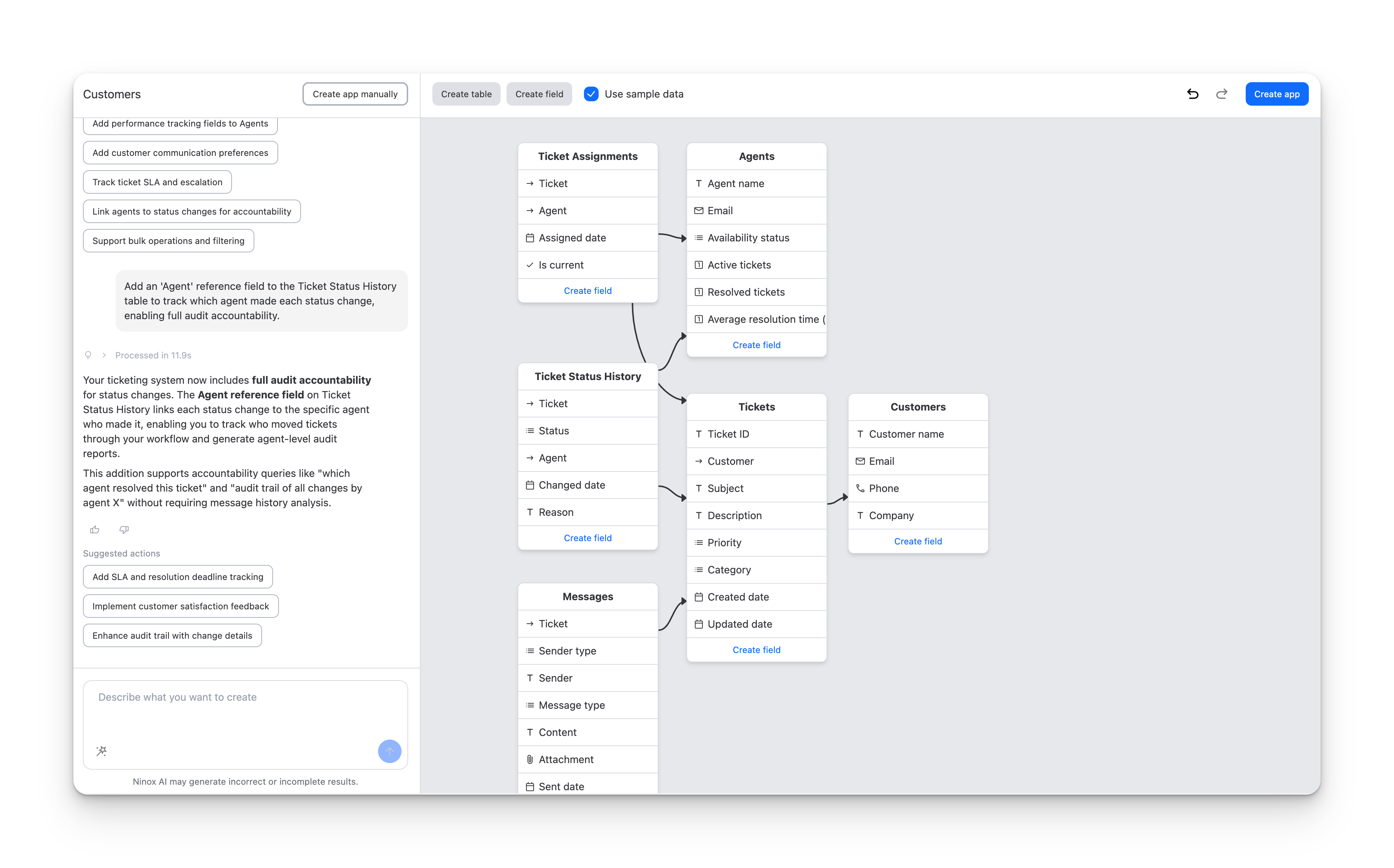
So the AI doesn't render a preview of your database in the chat. It generates into Ninox's real data-model editor, the one you would use to build a database by hand.
The chat panel and the editor sit side by side. You can edit tables and fields directly, keep iterating in the chat, or mix both, and both paths change the same schema. Some changes are easier to describe than to click; you pick per change.
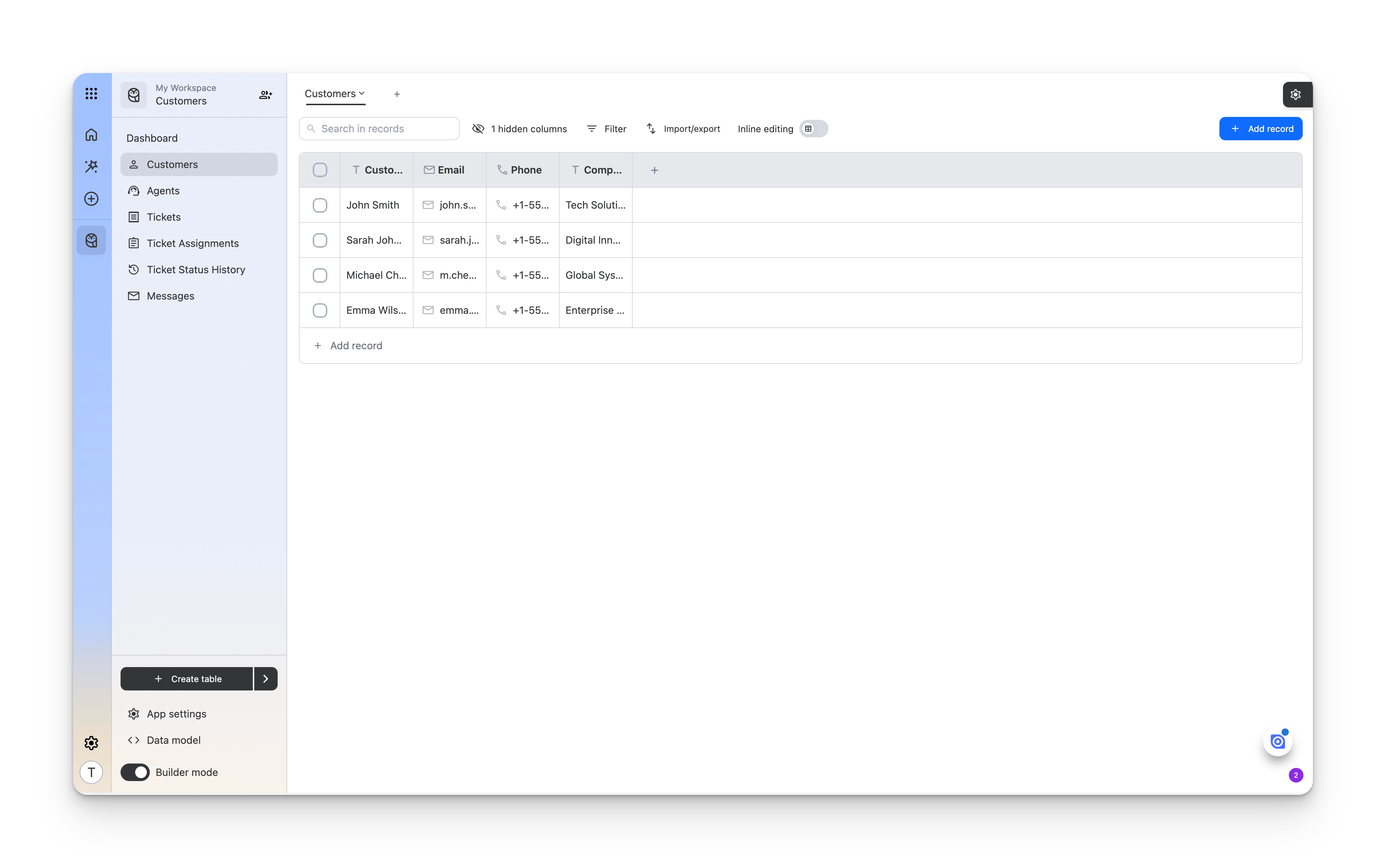
Once the schema feels right, there is no separate AI mode to leave. What you built is a regular Ninox app.
Put the generated schema in the real editor
Four design decisions carried the idea into an interaction model.
 View full size ↗
 Two paths, side by side. Chat-driven iteration on the left; direct-edit affordances (‘Create field’ on every card) on the right. The user picks whichever matches the change they want to make.
 View full size ↗
 After generation, the AI-built schema is just a regular Ninox app. Same builder, same sidebar, same edit affordances. There is no separate ‘AI mode’ to leave.
-
Schema renders into the real data-model editor
The AI generates into the same editor you would use to build a database by hand, not into a chat-rendered preview.
-
Direct manipulation first; chat as the alternative
You can add and remove fields, even whole tables, right on the schema, so a change doesn't have to go through the chat. Both paths converge on the same schema.
-
The first wrong answer is the normal case
A one-sentence prompt produces a first schema that is a little off. The design expects that: suggested actions propose the obvious additions, and the schema grows step by step.
-
There is no AI mode to leave
The schema, once built, is just a Ninox app, in the same builder you have been editing in. Generation folds into Ninox's normal authoring surface instead of replacing it.
Direct manipulation became the beta's interaction model
The split-screen model, editor and chat side by side, became the primary onboarding pattern when the initiative moved from the stealth phase to the product team, and the basis for Ninox's public AI beta in 2026.
 View full size ↗
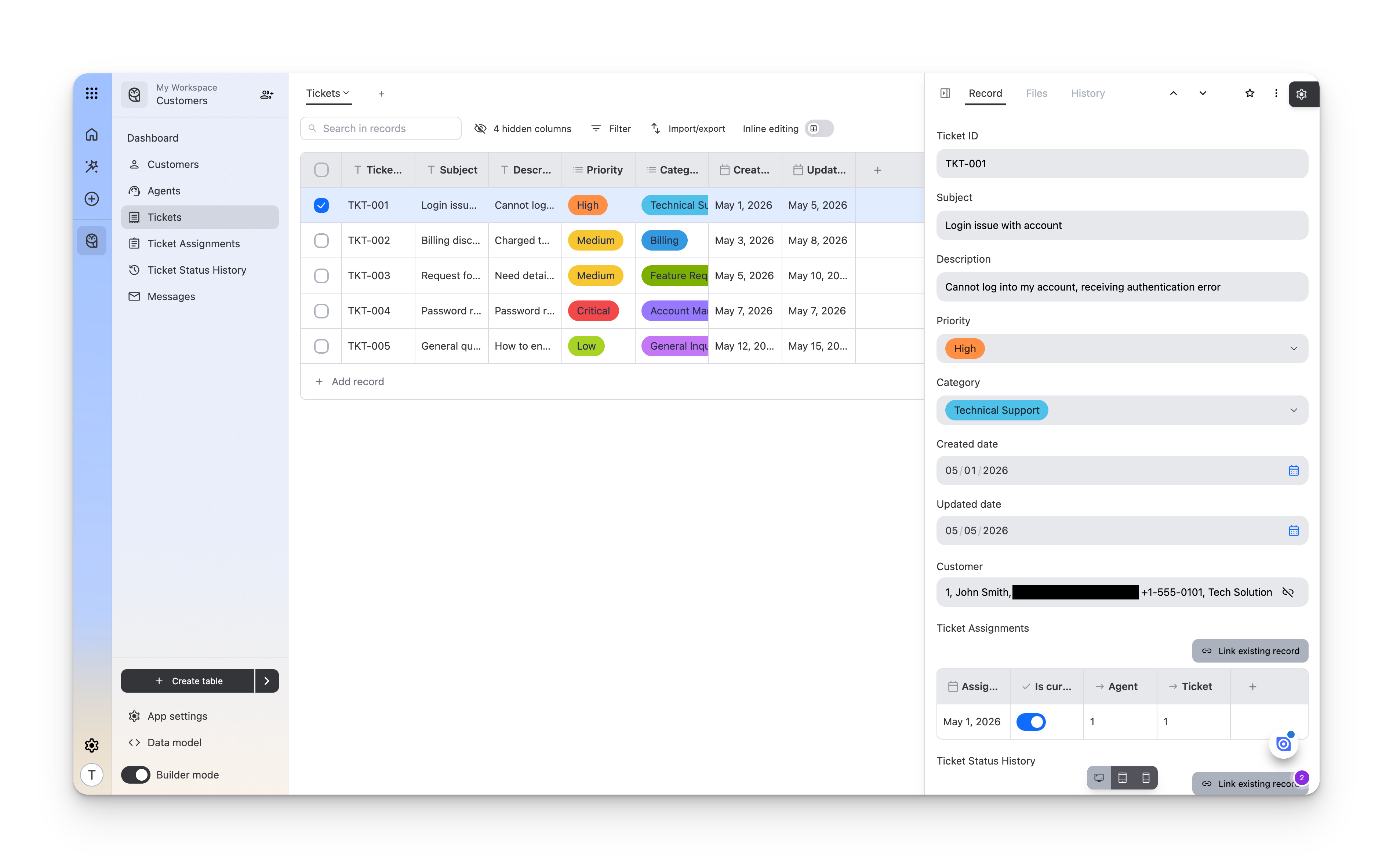
 The proof: the AI-generated schema becomes a real working product. Records, relations, and field types behave like any hand-built Ninox app.
- Engagement scope
- Founder-led stealth phase; the design went to the product team as the basis for the public Ninox AI platform (beta 2026)
- Interaction model
- Split-screen direct manipulation alongside chat: the primary onboarding pattern
- Audience
- SMEs with document-heavy workflows, such as law firms, construction companies, contractors and inspectors, who lack database knowledge or a consultant
The second edit is yours
The flow still starts with one sentence about the application you want, and the editor fills with a schema.
What changed is everything after that. You add a field on a table, remove a table you didn't need, or ask the chat, whichever suits the change. The chat is a helper at the side, not a gatekeeper in front.
For anyone handing generated work to users
-
Generate into the surface the user will edit.
The output should land where ownership lives: the data model, the document, the file the user keeps. If it lands in a chat transcript, the user is left negotiating with a machine over their own work. Test: ask where a user goes to make the second change.
-
Treat the first wrong answer as the normal case.
First prompts are short, so first results are off. Make the obvious next edits one click away instead of another paragraph of prompting. Test: count the prompts a new user needs to fix the first result.
-
Keep chat, never as the only path.
Some changes are easier to describe than to click. Let both paths exist, converge on the same artifact, and let the user choose per change. Test: can every chat change also be made by hand, and the other way round?
Short, final answers belong in chat
A summary, an answer, a one-shot draft: for short interactions that end when the answer arrives, chat is the right interface and an editing surface is overhead. The editor earns its place when the output is large, structured, and something the user has to keep and change. That is the boundary I can defend from this work.
Want to hear more?
- Here is a test you can run this week: the next time a model generates something for a user, watch where that user goes to change it. If the answer is a chat transcript, that is the seam worth redesigning.