The Metadata Nobody Sees
Most sermon videos arrived with no structured way for the product to know which passage was discussed, where the useful segment began, or why it answered a question. I first did some of the logging work by hand, then used AI agents to create the n8n pipeline and live-tested it until timed transcripts became source-linked clips, chapters and retrievable material.
A correct search result could still look wrong
Bibel TV's catalog contains sermons, Bible studies and lectures. Connecting that catalog to a Bible-study product requires more than a transcript. The system needs to know which passage is discussed, when the discussion starts and ends, and what the segment is about.
The failure became concrete in one result. A sermon titled "Who is Jesus?" also discussed the creation account. Someone reading that passage could receive a technically relevant result whose inherited video title made it look irrelevant. The search had found the right source and still failed to explain itself.
A timestamp was not merely metadata. It was a product interface: the address a person would tap, the point where playback would begin, and the boundary of the evidence supporting an answer.
I learned the workflow before automating it
During onboarding I worked alongside the logging team and did some of the capture work on real videos myself. Scripture extraction alone took three to five minutes per video by my own count, sometimes more. The broader task also included identifying structure, recording timecodes, capturing graphics and selecting a cover frame. And what the logs held for each Bible reference was a start point, never an end point: where a verse came up, not where the passage about it ended.
That experience shaped the automation boundary. The goal was not to make a model watch a video so a person never had to. It was to remove repeated capture work and make the resulting structure usable by a product. I built a feasibility prototype first, then carried its validated transcript-driven extraction approach into the Bible-study app's active product pipeline.
Turn the transcript into product structure
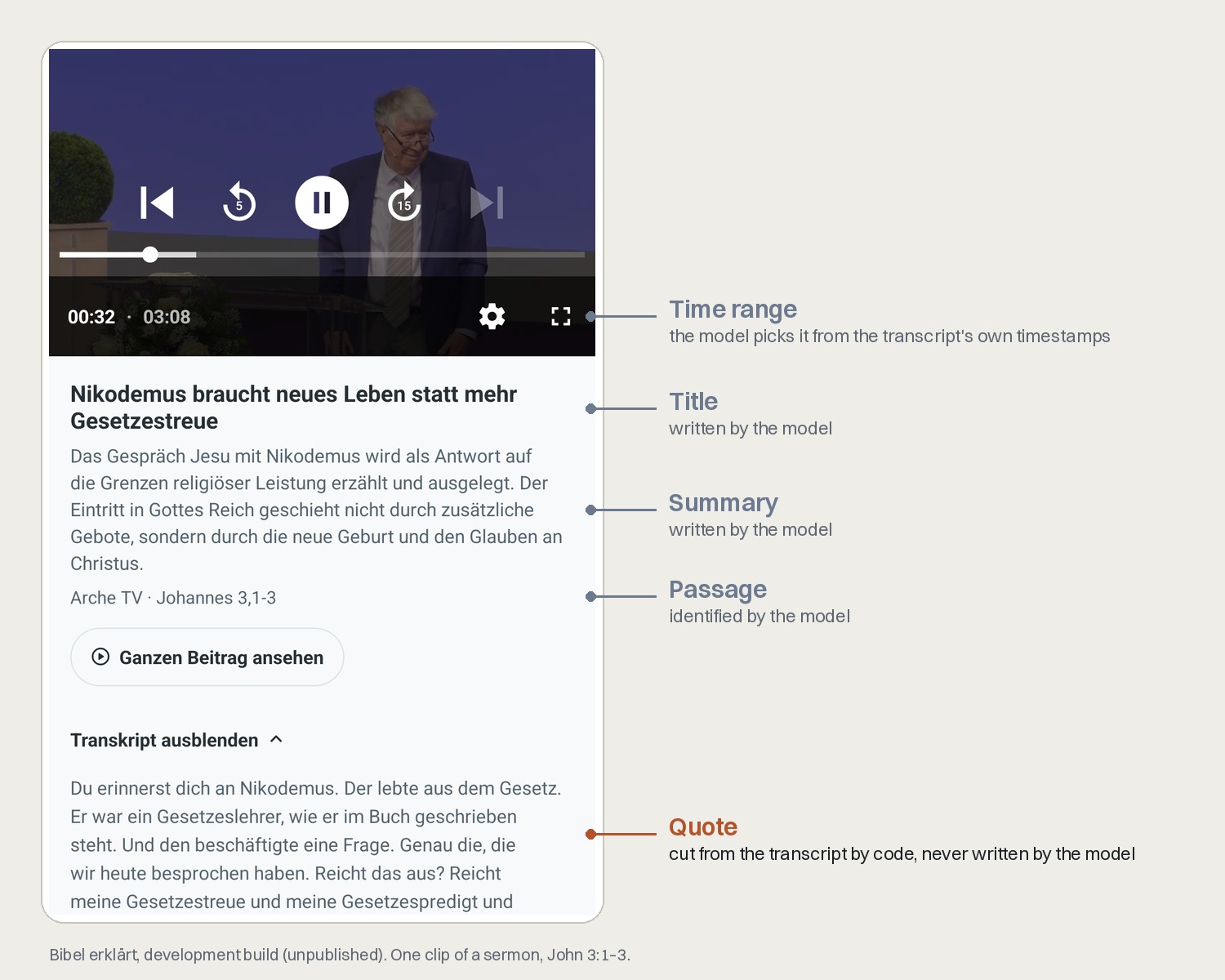
One clip, field by field. The model proposes the passage, the time range, the title and the summary. The quote under the transcript toggle is cut from the sermon's own transcript by code, so those words are the preacher's, never the model's.
-
Create one consistent transcript
The n8n transcription workflow obtains the source video, extracts audio and stores timed transcript segments in Postgres. The app's own catalog status is the source of truth instead of accepting transcripts of unknown provenance.
-
Derive clips, chapters and topics
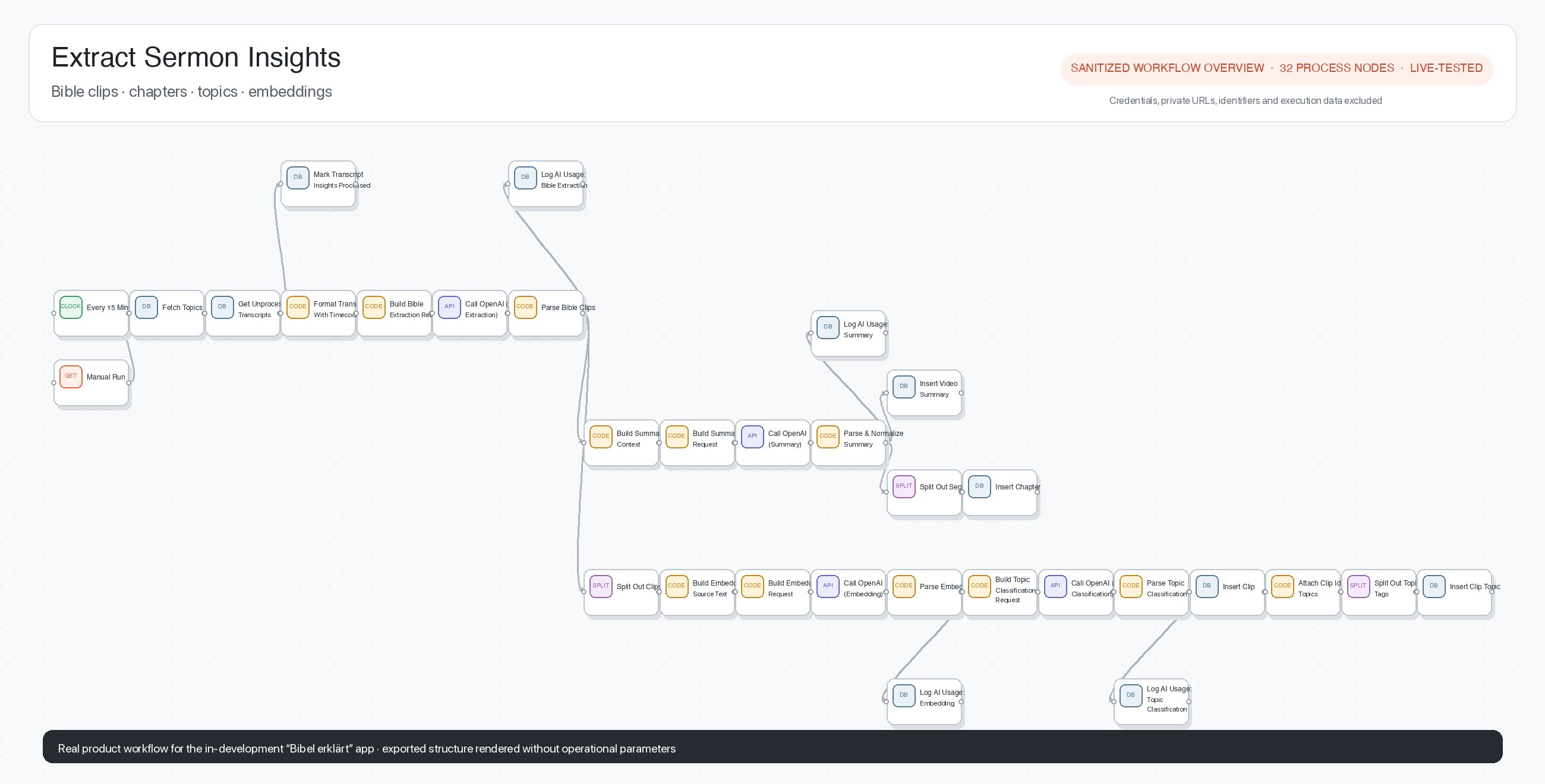
A second active workflow converts the timed transcript into Bible-passage clips and structural chapters. Clip text is derived deterministically from source segments rather than invented by the model.
-
Make each segment retrievable
The workflow creates embeddings and structured records that connect each virtual clip back to its source video and time range. The app can retrieve the segment as evidence for a Bible-study answer.
-
Keep cost and failure visible
Model usage and estimated cost are recorded with the corpus data. Live n8n traces exposed an execution-order race and a broken upstream node reference; I worked through both problems with the coding agent and re-verified the transcription path end to end.
Thousands of source-linked clips, and new videos processed every night
This is a pipeline result, not an adoption metric. The app remains in development. What is already real is the path from a source video to retrievable, time-bounded material that the product can cite, and the operational evidence behind it.
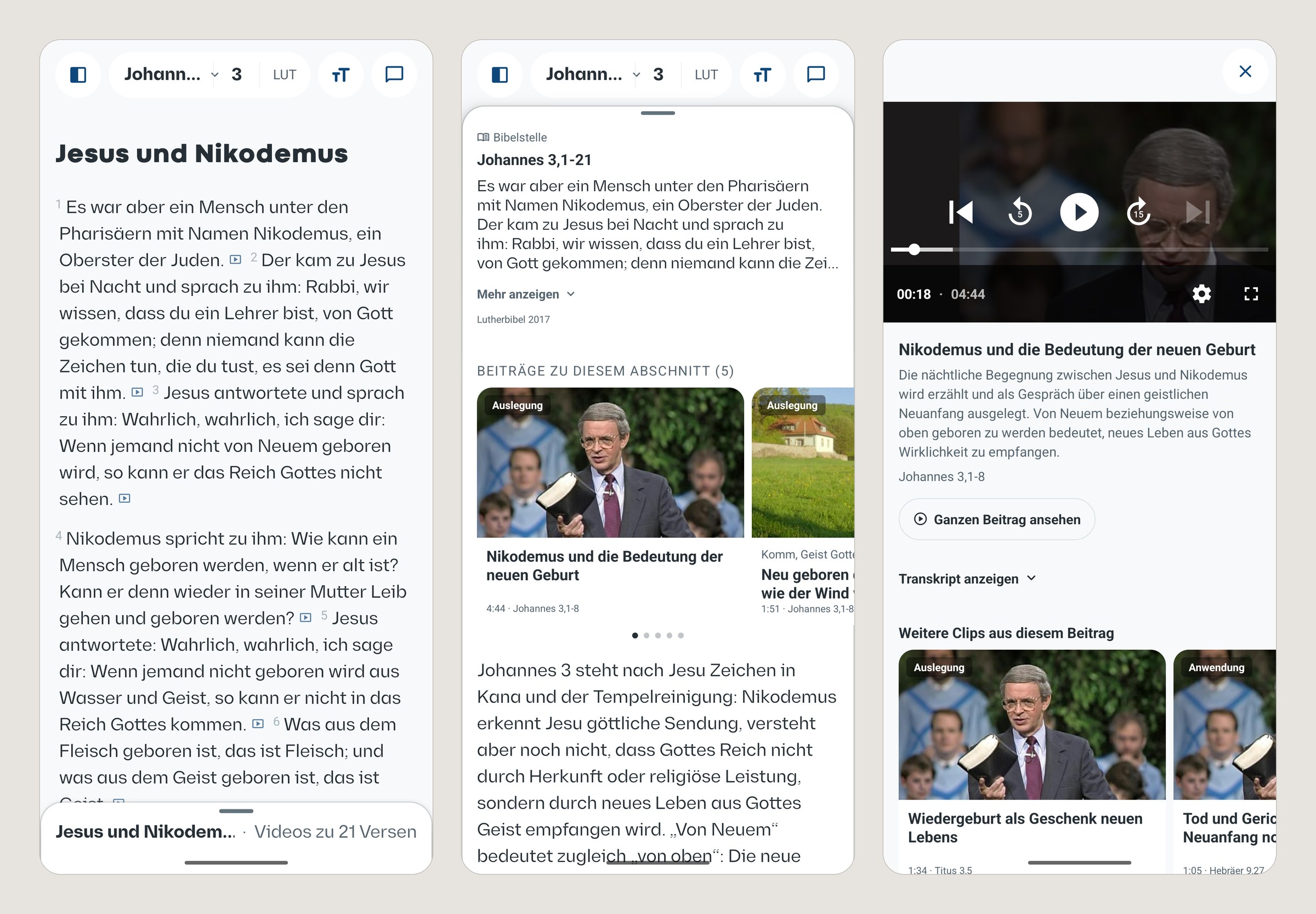
What the pipeline produces, in the unpublished app's development build, October 2026. A marker in the reader means a verse has clips; the passage lists them; a clip plays only its own 4:44 window of the sermon, with its passage and summary and a way back to the full video.
- Corpus
- 11,405 sermon clips from 3,504 videos, 3,574 transcripts processed and 91 gott-erklärt articles, counted live on 9 October 2026
- Automation
- New videos are imported every night and turned into clips, chapters and topics every 15 minutes, without anyone starting a run
- Product connection
- The clips were wired into the app's running chat system during development
- Verified workflow
- The corrected transcription path completed end to end; the sermon-insight workflow later passed a 31-node dry run on a real transcript
The details worth discussing
- Curious why I removed an apparently useful legacy chain from the critical path, what two live execution failures taught me about n8n's branch behavior, or why a clip title matters to retrieval quality?